Guide
How to keep Figma variables and CSS tokens in sync
Last updated 6 November 2026
Most teams export their Figma variables to CSS once, and a few releases later the two no longer match. Below is how to get variables out of Figma today, why Tessera makes a set of JSON files the source for both sides instead, and the checks that tell us when something drifts. Every example comes from our own token files.
The short answer
To turn Figma variables into CSS variables, export them as JSON and run a build step that writes the CSS. That works once. To keep them in sync, pick one source and make the other side follow it, with the same names on both sides and a check that fails when they differ. In Tessera the source is a set of JSON files. A script builds the CSS from them, the Figma variables carry the same names, and two commands fail when the CSS no longer matches or a component uses a raw value.
How to get variables out of Figma
There are four ways today, and none of them ends in a CSS file on its own.
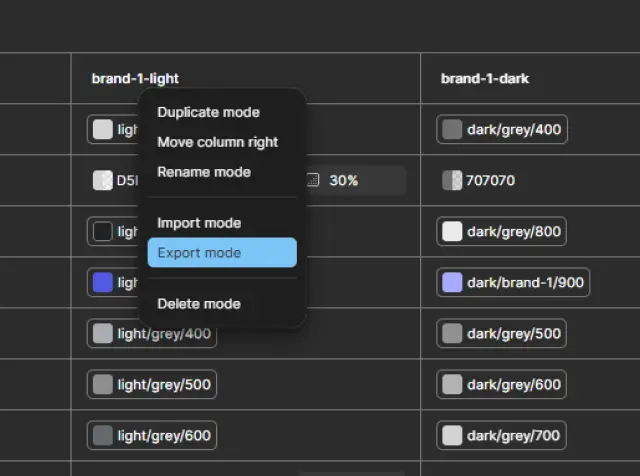
- Export from the variables panel. Right-click a collection and choose Export modes, or right-click one mode and choose Export mode. You get JSON. Figma can also import JSON in the Design Tokens Community Group format back into a collection.
- The Variables REST API. It reads and writes variables from a script, which is what automation needs. Figma’s developer docs say it needs a full seat in an Enterprise organisation.
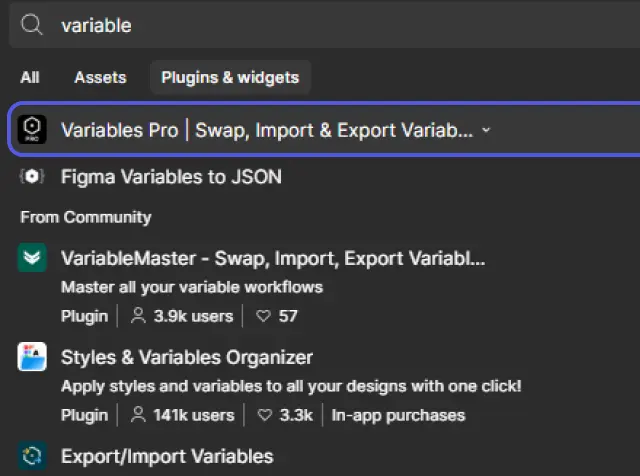
- A plugin, such as Tokens Studio or Variables Pro. Plugins work on smaller plans, and some push the tokens to a Git repository.
- Dev Mode. Each variable can carry a code syntax name for web, iOS and Android, so a developer who inspects a frame sees the CSS name instead of the Figma path. That helps handoff, but it does not write a file.
Whichever way you choose, you still need a build step that turns JSON into CSS custom properties. Style Dictionary is the common one. Ours is a short Node script with no dependencies, because our files follow one simple naming rule.
Which side should be the source?
This is the decision everything else follows from. If Figma is the source, a designer changes a colour and someone exports again. If a file in the code repository is the source, every change goes through the same review as code, and a check can fail the build. A Figma file can’t fail a build.
Tessera started with Figma as the source. Since 28 September 2026 the JSON files are the source and Figma follows them, because a change in a file can be reviewed, compared and checked by a machine. A change in Figma is only seen by someone who happens to look.
If your designers own the colours and nobody on the team works in Git, Figma as the source is a fair choice. Then export on a fixed rhythm and check the result the same way.
Name tokens so both sides read the same
Drift usually starts with names. If Figma says Brand/Primary and the CSS says --color-primary-500, every handoff needs a translation, and translations go wrong.
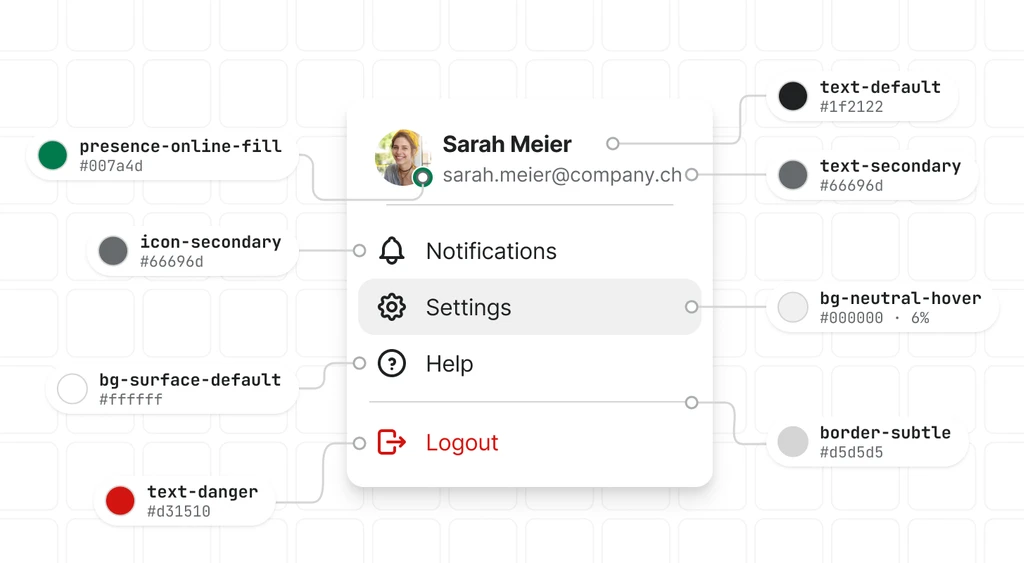
- One name, two spellings. A Figma path a/b/c is the CSS property --a-b-c, so bg/brand/primary in Figma is --bg-brand-primary in CSS.
- Name a token for its job, not its look: bg-brand-primary, text-default, border-danger. A name like purple-600 is wrong the day the brand changes.
- Put the CSS name into the variable’s code syntax for web, so Dev Mode shows the exact property.
- When a base token also has variants, Figma needs a leaf for the base. We call it default: text/link/default in Figma is --text-link in CSS. It is the one place where the spellings differ, and the rule is written down.
Here is one real token from our semantic file, as it is stored:
"bg-brand-primary": {
  "$type": "color",
  "$value": {
    "light": "{light-brand-1-900}",
    "dark": "{dark-brand-1-900}"
  },
  "$description": "Primary brand fill — main CTA."
}
Light and dark in one token
Figma keeps light and dark as two modes of one collection. CSS has no modes, so the build writes the same property into two rules. The token above keeps both values side by side. That is our own convention, because the Design Tokens Community Group format has no built-in way to describe themes.
:root,
[data-theme="light"] {
  --bg-brand-primary: var(--light-brand-1-900);
}

[data-theme="dark"] {
  --bg-brand-primary: var(--dark-brand-1-900);
}
A third rule follows the system setting through prefers-color-scheme, so the first paint is right before any JavaScript runs. Of our 358 semantic tokens, 342 have a light and a dark value. In Figma they sit in one semantic collection with the modes Light and Dark.
Keep the aliases
bg-brand-primary does not hold a colour. It points to light-brand-1-900, which holds #5258e4. The build keeps that chain as var() references and never flattens it into a hex value. Figma does the same when one variable is an alias of another.
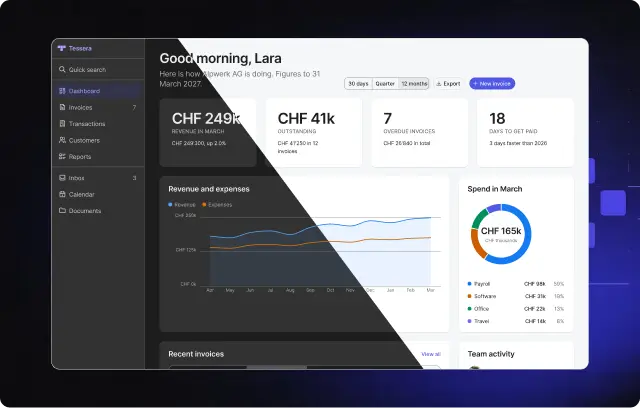
That chain is what makes a theme cheap. Our three brand themes only change which colour ramp the semantic tokens point to, so everything that uses the brand colour follows without a single change in component code. You can switch them on real components in the Playground.
Checks that catch drift
Matching names only help if something checks them. In our source repository, three commands run after every token change:
npm run tokens        # build the CSS from the JSON files
npm run tokens:check  # fail if the CSS differs from what the JSON builds
npm run tokens:lint   # fail if component CSS uses a raw value
tokens:check builds the CSS again in memory and compares it with the file, per theme and per property. One missing, extra or changed line fails it. tokens:lint fails on a colour written as hex or rgb(), a px value, a z-index, an opacity or a duration typed into component CSS. It also checks that every media query width equals a breakpoint token, because CSS can’t read a variable there.
Figma has no build that can fail, so we read it back instead. When a token is added or changed, the same task creates or updates the Figma variable, then reads the file back to confirm every variable is there with the right name and alias. We do that with our own scripts and Claude working in the Figma file. It is part of how we make Tessera, not a tool in the package.
Two units differ between the sides, so write them down once: Figma stores opacity as a percent (40 means 0.4) and blur at twice the CSS value.
What this does not solve
- A change still lands in two places. Someone edits the JSON, then the Figma variable. On the code side a check catches a slip. On the Figma side only the read-back does.
- Our JSON is not a file that Figma’s import reads as it is, because of the light and dark convention above. A short script would have to split it into one file per mode first.
- Tokens alone are not enough. A pipeline means little if a button still has a colour typed into its CSS. That is why the lint exists.
What you get in Tessera
- The token JSON files and the built tokens.css, in the package: 394 primitives and 358 semantic tokens, plus type, spacing, shadow and motion.
- npx tessera-lint src, the same raw-value check, to run on your own project.
- A Figma file whose variables use the same names, with Light and Dark modes.
- For free: the Figma kit with the foundations pages and 14 base components, named as in code.
The token files and the package come with Pro. To see the Figma side first, start with the free kit. The token names are listed in the docs under Tokens. If you are still deciding whether to build your own system, read build or buy a design system. To make an AI agent use the same tokens, read how to make Claude and Cursor use your design system.